
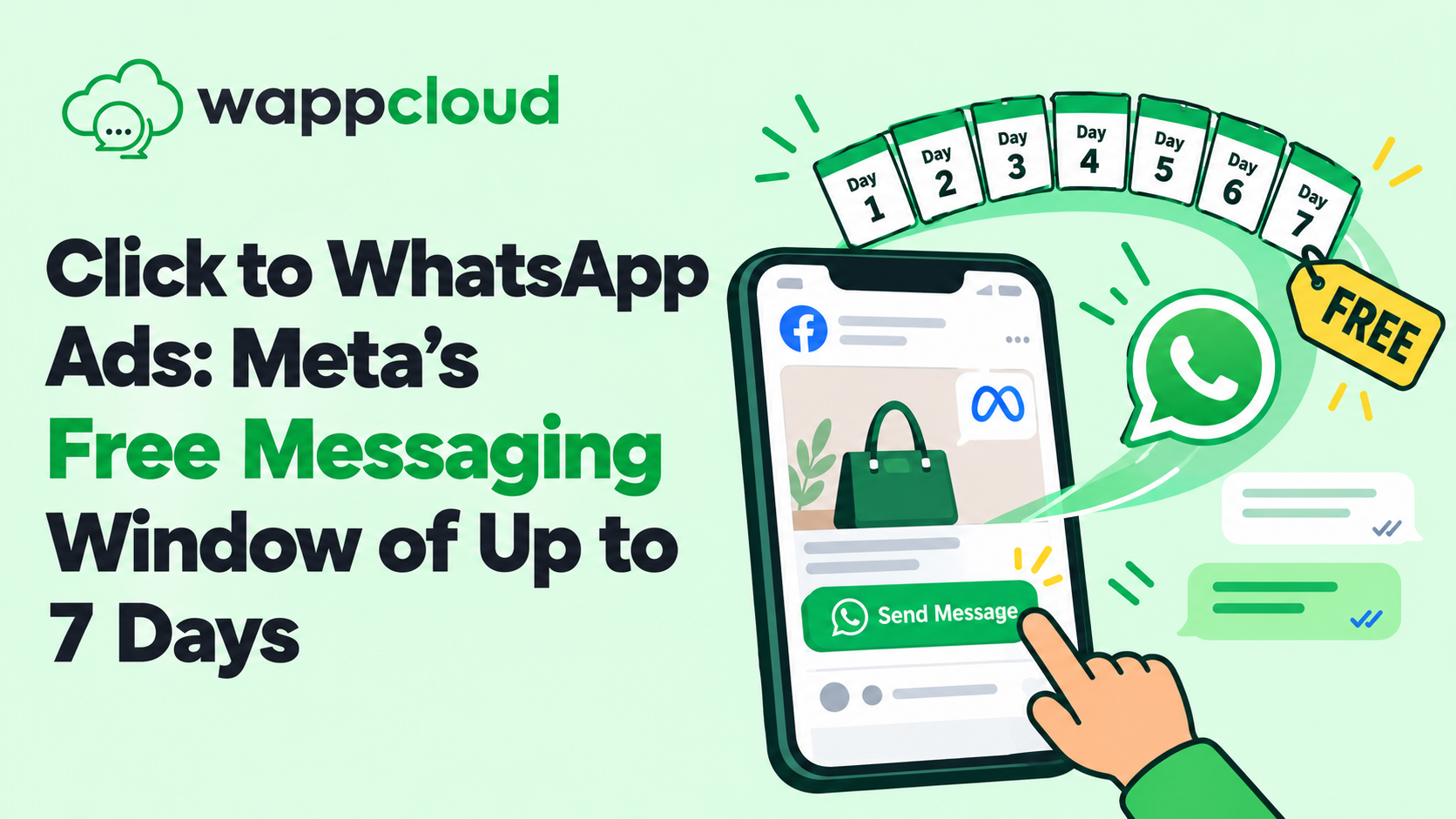
Click to WhatsApp Ads: Meta's Free Messaging Window of Up to 7 Days

Written by
WappCloud Team

Post date
21 October 2026
You invest in an ad to earn a click. The customer taps the button and sends a first message on WhatsApp. What happens next determines whether that click becomes a customer or simply another figure in your ad report.
For businesses running Click to WhatsApp (CTWA) ads, Meta's pricing documentation outlines a valuable benefit. When you reply to a CTWA lead in time, a free entry point window opens that can remain open for up to 7 days. That gives you a full week to follow up, answer questions and guide the lead towards a purchase, without being charged for your marketing, utility, authentication or service messages.
There are conditions, however. The window does not open automatically, and certain message types fall outside it.
This article explains how the 7-day free window works, what you can send during it, how it differs from the standard 24-hour window, and how WappCloud can help you make the most of it.
Here is what you need to know.
What Is the Free Entry Point Window?
The free entry point (FEP) window is a period during which Meta does not charge for certain messages sent to a customer. It applies when someone messages your business by tapping a Click to WhatsApp ad on a device running WhatsApp for Android or iOS. The desktop and web apps are not supported.
Meta's documentation states that the window may remain open for up to 7 days. For businesses that advertise regularly, this extends the time available to engage each lead. Prospects who are not ready to buy on day one can still be nurtured, and the conversation can continue without adding to your messaging costs.
How the Window Opens
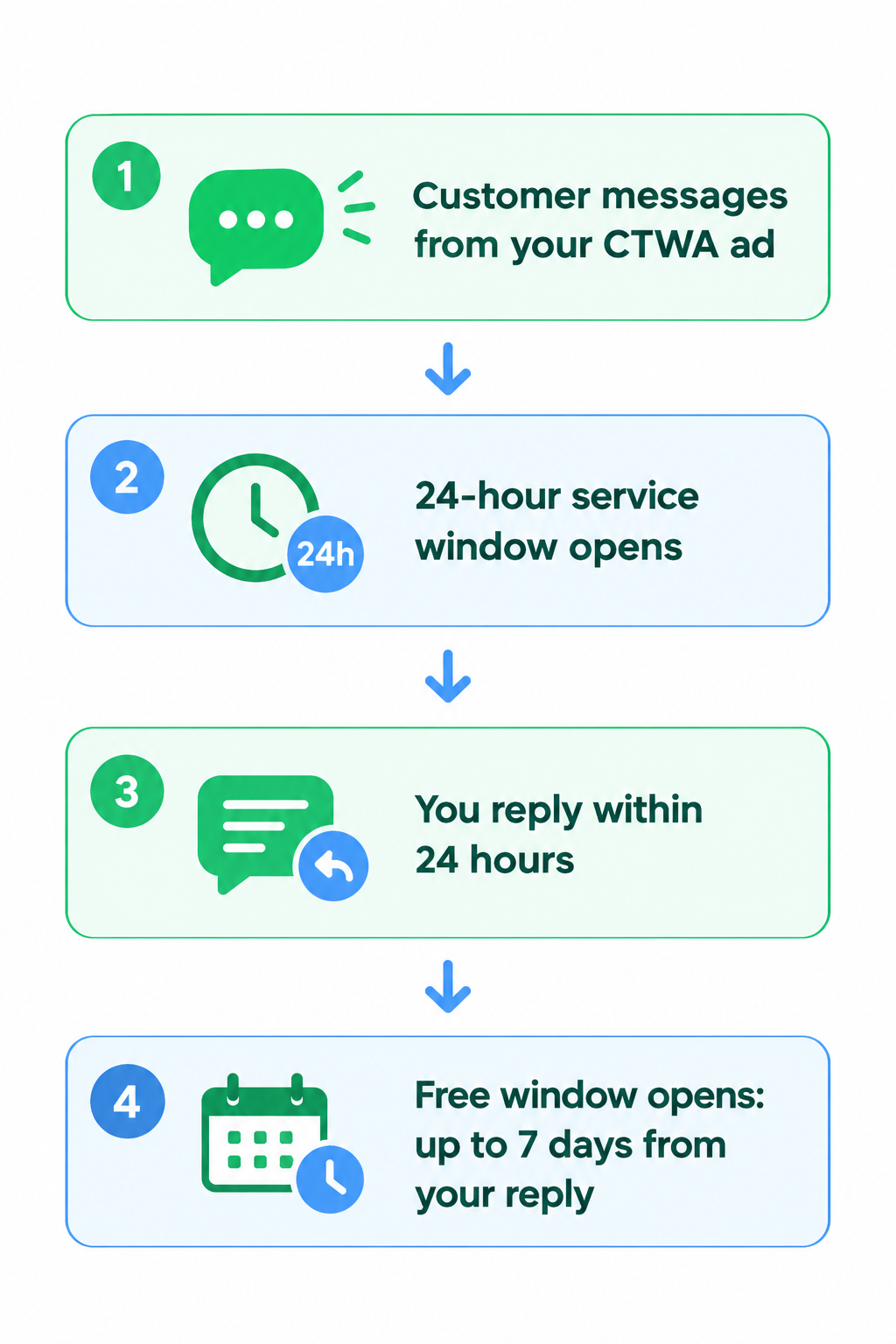
The rule is simple: reply while the 24-hour customer service window is still open.
When a customer messages you from a CTWA ad, the standard 24-hour customer service window opens. If you respond within it with a marketing, utility, authentication or service message, that reply is not charged and it opens the free entry point window. The countdown begins at the time of your reply, not at the time the customer first wrote to you.
A reply from your team or from an automated bot qualifies. One exception applies: messages powered by Meta Business Agent are billed separately, and Meta's documentation does not list them as opening the window, so they should not be relied on for your first reply.
If the 24-hour mark is missed, the free window does not open and your messages are billed under Meta's standard rules.
What Can You Send During the Window?
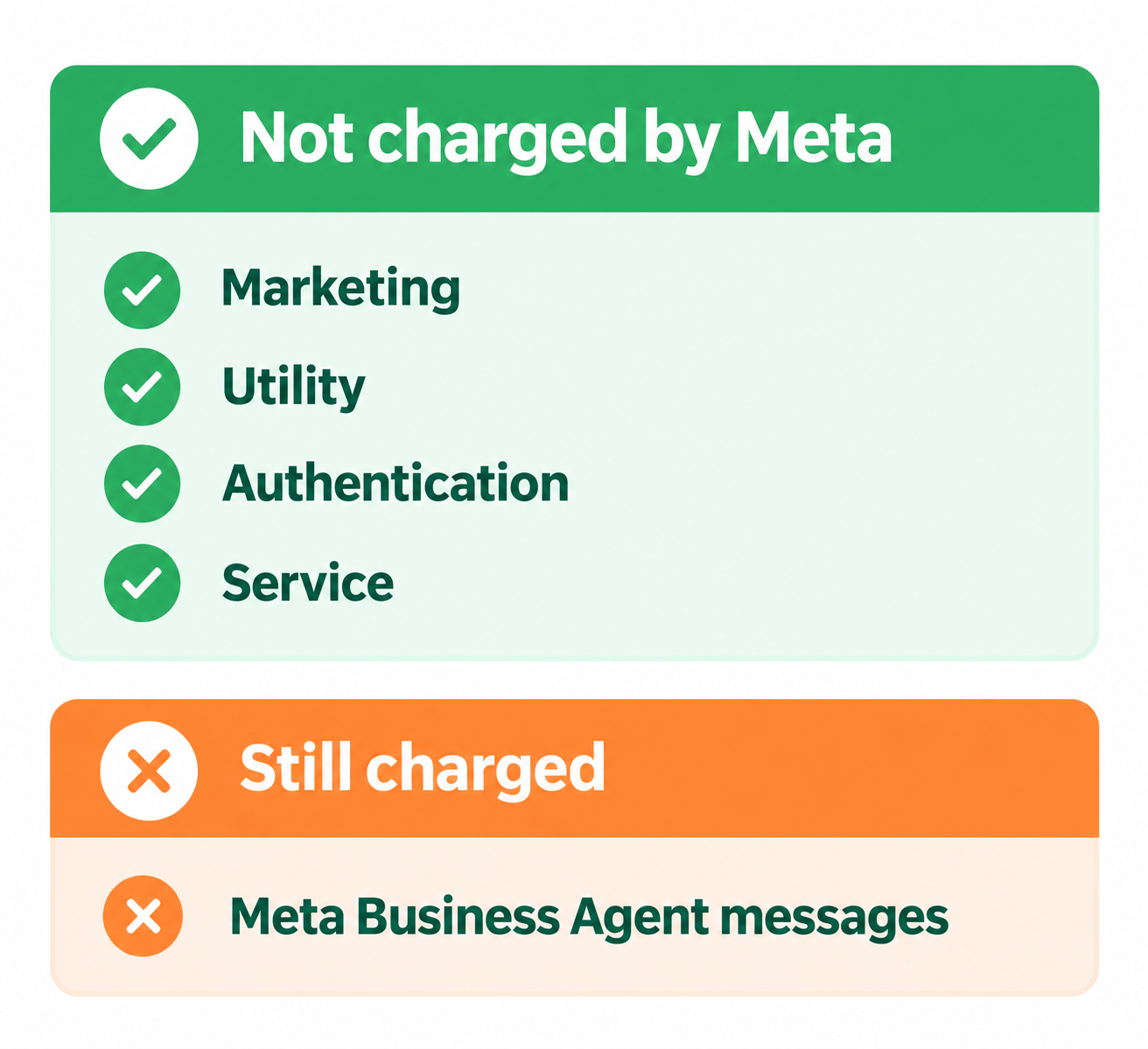
While the window is open, Meta does not charge for marketing, utility, authentication or service messages sent to that customer. In practice, this covers approved template messages as well as regular messages such as text, images and documents.
One format rule applies. Regular (non-template) messages can only be sent while the 24-hour customer service window is open. If the customer has not messaged you in the last 24 hours, only template messages can be sent. Those templates are still not charged while the free window is running.
Two items fall outside the free window. Messages powered by Meta Business Agent are still charged, and the free window covers only Meta's per-message charges, not any subscription or platform fees from your provider.
Two Windows, Working Side by Side
These two windows are easily confused, so it helps to distinguish them clearly. They operate in parallel and do not replace each other.
In short, the free entry point window affects Meta's message charges, while the 24-hour window determines which message formats you can use.
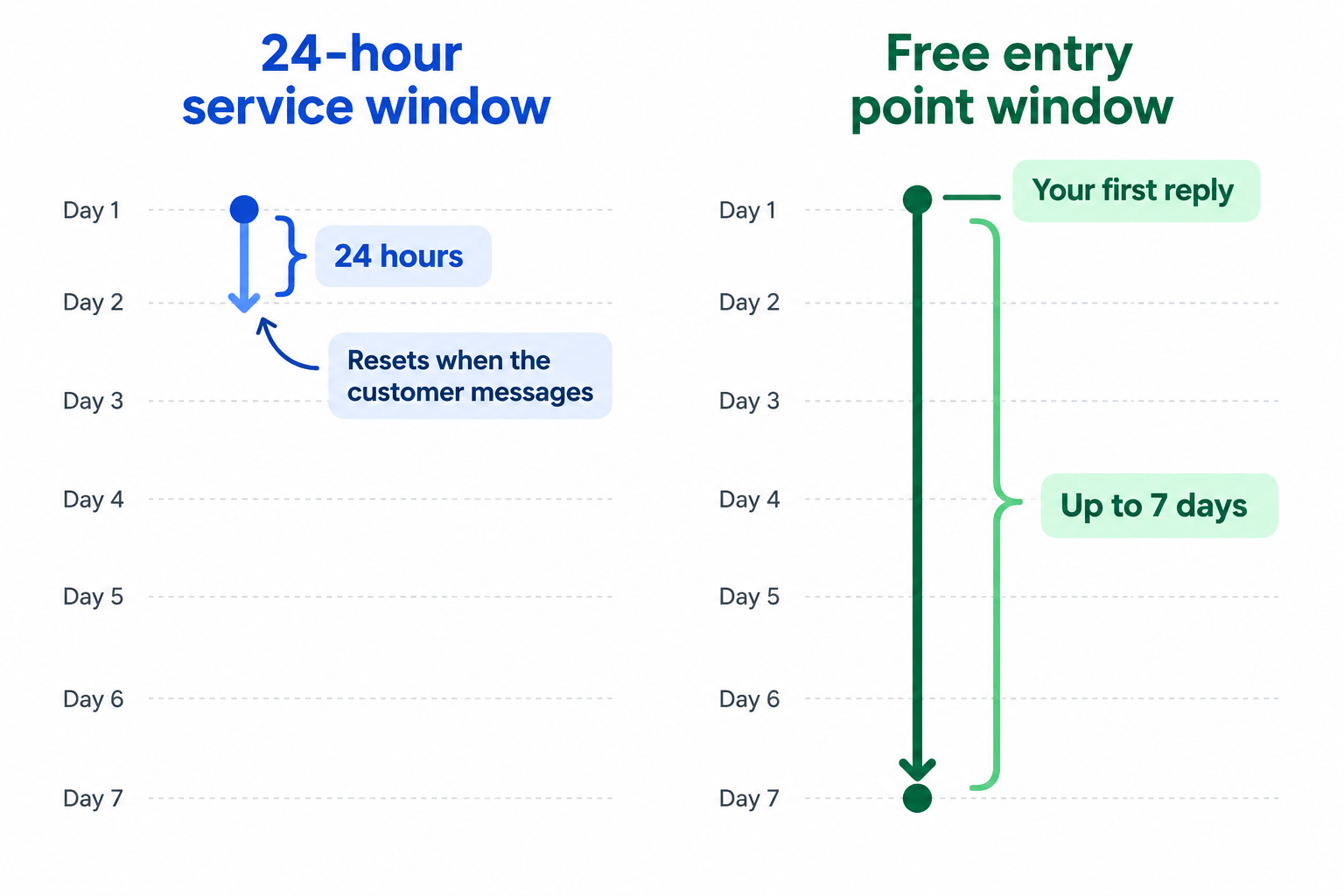
24-hour customer service window
Opens for 24 hours each time the customer messages you, and resets whenever they message again. Regular, non-template messages can only be sent while it is open. On its own, it does not make messages free: service messages are billed after the first 1,000 each month per business phone number.
Free entry point window
Opens when you reply to a CTWA lead within the 24-hour window. It can last up to 7 days, and during that time Meta does not charge for your marketing, utility, authentication or service messages.
A Week in the Life of a CTWA Lead
Consider a home decor store. A customer taps your ad at 11:00 AM on Tuesday to ask about a set of cushion covers. Your team, or an automated flow in WappCloud, sends a courteous first reply at 11:02 AM. That reply opens the free window, which can remain open for up to 7 days, counted from 11:02 AM.
A sample follow-up plan for that period:
Day 1: Greet and respond promptly
Greet the lead, share the product details they asked about and include a few photos. A prompt, helpful first reply is what opens the window.
Day 2 to 3: Support the decision
If the lead has gone quiet, follow up with a short styling guide or a few customer favourites. Once 24 hours pass without a customer message, these follow-ups must be approved templates.
Day 4 to 5: Give a reason to act
Share a limited-time offer or note that stock is running low. Meta does not charge for these messages while the window is open, so these follow-ups do not add to Meta's message charges.
Day 6 to 7: Send a closing reminder
Send a closing reminder before the window ends. Because the window lasts up to 7 days, treat this timing as a guide and send the message slightly early rather than at the last moment.
How to Get the Most Out of the Window with WappCloud
1. Respond to every lead promptly
Leads do not arrive only during office hours. Connect your Click to WhatsApp ads to WappCloud and set up an automated first reply, so every lead hears back quickly, including outside business hours. That first reply is what opens the window.
2. Plan the full week in advance
Define what each day's message should achieve: answer, assist, offer or remind. Prepare approved templates for anything that may be sent after the 24-hour window closes, then build them into your WappCloud automation so the right message reaches the right lead.
3. Keep track of every lead
A lead asking about pricing needs a different follow-up from one asking about delivery. Use WappCloud's CRM to keep each lead's conversation history in one place, so your team can see who has replied, who has gone quiet and who is ready for a follow-up.
4. Remember that the window belongs to your number
Meta tracks the free window for the pair of your business phone number and the customer. Whether a teammate, a bot or a connected tool replies, messages sent on that number share the same window, so ensure everyone works from the same conversation.
5. Review and refine
Observe when your leads tend to reply. If most conversations go cold by day three, consider moving your strongest offer earlier. Small adjustments to timing and tone can make a meaningful difference.
Quick Recap
When a customer messages you from a Click to WhatsApp ad on the WhatsApp Android or iOS app, you have 24 hours to reply. A marketing, utility, authentication or service reply within that time opens a free entry point window that can remain open for up to 7 days from your reply. During that period, Meta does not charge for those message types. Messages powered by Meta Business Agent are still charged, regular messages need an open 24-hour window, and outside it only templates can be sent.
If you reply after the 24-hour mark, the window does not open. No additional setup is required; a timely reply is what triggers it.
Pricing rules can change, so please review Meta's official pricing documentation for the latest details before planning a campaign around them.
Every Click to WhatsApp lead represents an investment. The free entry point window gives you time to turn initial interest into a conversation, and that conversation into a sale.
With WappCloud, you can bring your Click to WhatsApp ads, automated replies, team inbox and CRM together, so that no lead waits too long for a response.
To see how this can work for your business, speak with our team.