

Using WhatsApp Business App and API on the Same Number: Coexistence for SMBs

Written by
WappCloud Team

Post date
12 August 2026
For years, growing businesses faced an awkward choice on WhatsApp: stick with the simple, familiar Business App used by a small team, or move to the more powerful Business API and lose that easy, app-based experience in the process. There was no middle ground — switching to the API meant giving up the app entirely, on the same number.
That trade-off is exactly what WhatsApp's Coexistence feature was built to remove. It lets a business run the Business App and Business API on the same number at the same time — one of the most practical upgrades available to SMBs trying to scale their messaging without losing the personal touch a small team relies on.
What Is WhatsApp Coexistence?
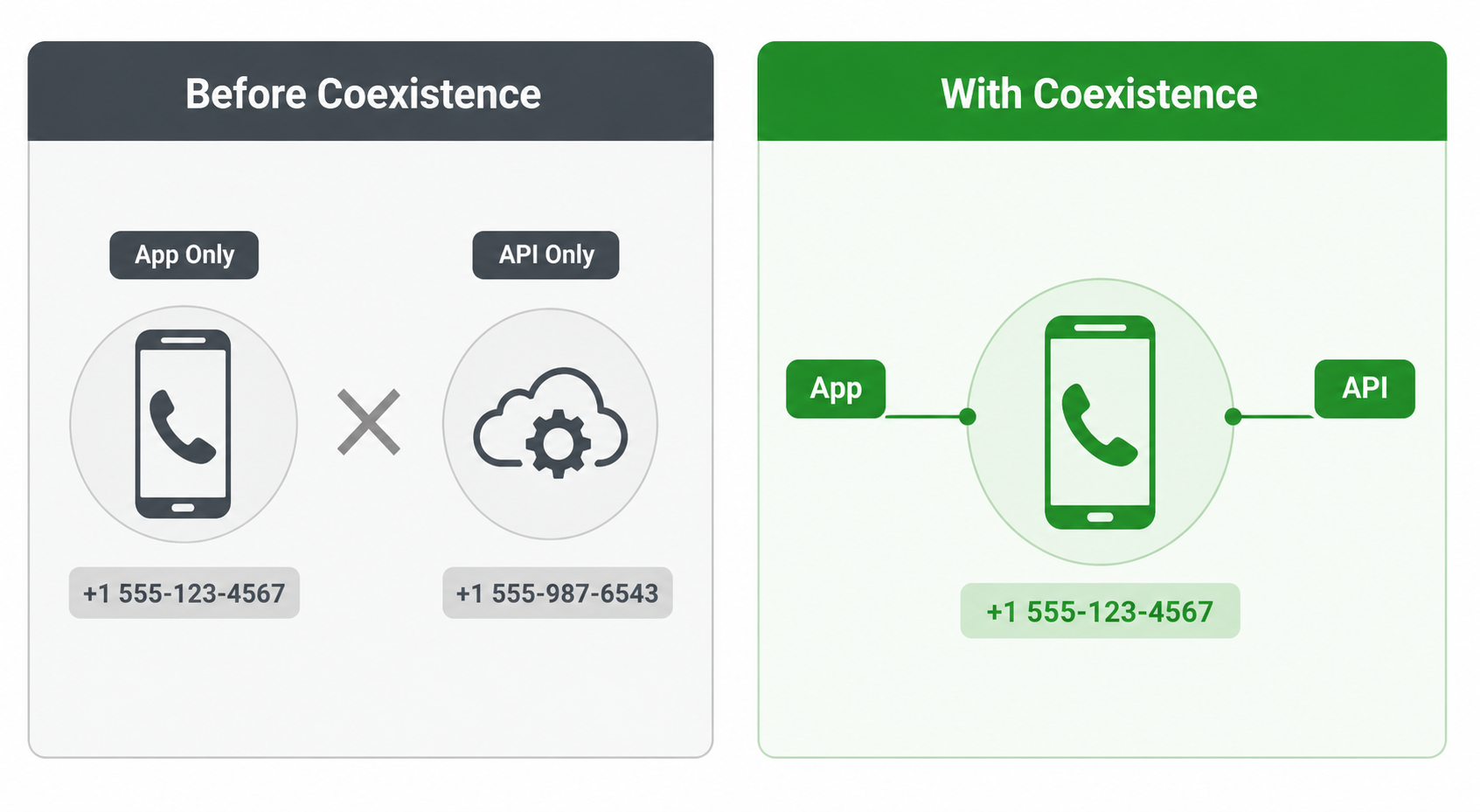
Coexistence allows a single WhatsApp number to be used simultaneously through the Business App and the Business API. Before this existed, a business had to fully migrate its number to the API to unlock automation and higher messaging volume — and once migrated, the number couldn't be used inside the app interface at all.
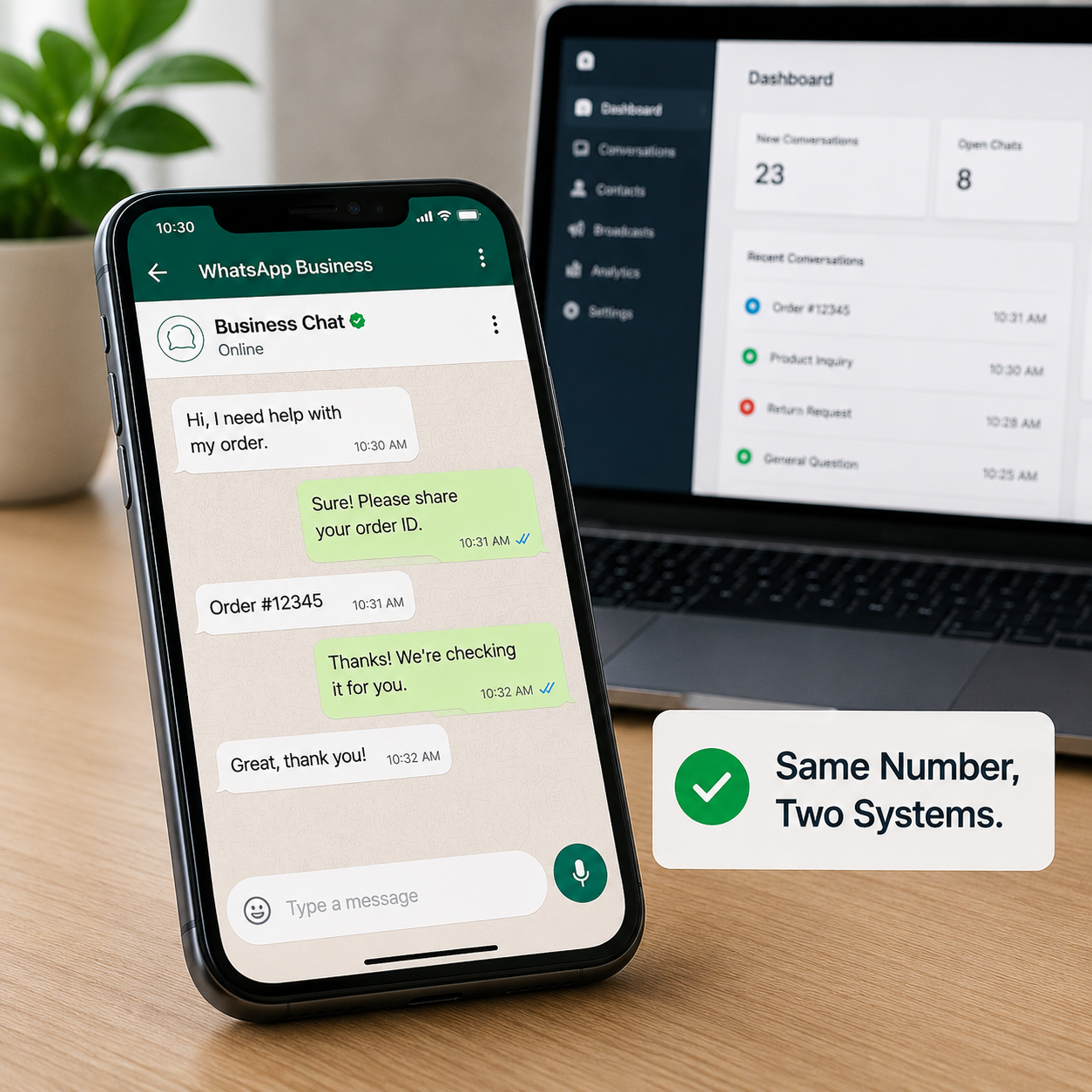
With Coexistence, a team can stay logged into the Business App for day-to-day conversations while the same number connects to the API for automated workflows, CRM integrations, and bulk messaging. Message history and contacts stay synced across both, so nothing gets fragmented.
Why This Matters So Much for SMBs
Larger enterprises often move to the API fully and build dedicated support teams around it. Smaller businesses rarely have that luxury — they need automation for repetitive messaging, but also rely on a small team having direct, hands-on access to conversations without specialized tools or training. Coexistence is built almost exactly for that middle ground.
1. Running the App and API Side by Side, Without Fragmenting Conversations
The core capability is straightforward: the same number handles both automated API-driven messages and manual app-based conversations, with a shared, synced chat history. A customer doesn't need to know whether their message is being handled by a person on the app or a workflow running through the API — it's just one conversation.
2. Team Members Keep Using the App They Already Know
Staff don't need to learn a new interface. A small sales or support team keeps using the Business App exactly as before, while automation quietly runs in the background through the API for order confirmations, appointment reminders, or FAQ responses.
Example Scenario
A small clinic's front-desk staff continues booking and confirming appointments directly through the Business App, while automated reminder messages and post-visit follow-ups are sent through the API without anyone manually triggering them.
3. Setting Up Coexistence: What the Process Looks Like
Coexistence is set up through a Meta-approved Business Solution Provider, not a self-service toggle inside the app. The existing number connects to the API through the provider's platform while remaining active in the Business App, and Meta verifies the setup to keep both channels properly synced.
Example Message (Setup Confirmation)
"Your WhatsApp number has been successfully connected for Coexistence. Your team can continue using the Business App as usual, while automated messages will now be sent through your connected API integration."
4. What Changes and What Stays the Same
The number, contacts, and chat history stay intact throughout — nothing gets rebuilt from scratch. What changes is the added capability: message templates, bulk sending, automation, and CRM or e-commerce integrations become available, layered on top of the app experience the team already relies on.
5. Common Use Cases for SMBs
A few patterns show up repeatedly:
- A support team handling nuanced conversations directly in the app, while automated order and delivery updates run through the API
- A sales team following up manually on warm leads, while cold outreach and re-engagement campaigns run through automated workflows
- A single business number serving both walk-in customer chat and scheduled marketing campaigns, without needing two separate numbers
6. Limitations and Things Worth Watching For
Coexistence isn't without trade-offs. Not every feature on the API side has an exact equivalent in the app, and vice versa, so some workflows need a bit of planning around where a task actually happens. Setup and ongoing management also depend on the Business Solution Provider chosen, so provider reliability genuinely matters. It's worth reviewing a provider's track record before committing a business's primary number to the setup.
The Business Impact of Getting This Right
For an SMB, Coexistence often removes the single biggest blocker to adopting WhatsApp automation: the fear of losing the direct, personal touch a small team provides. Businesses that adopt it typically see faster response times on repetitive queries without sacrificing hands-on conversations — without running two separate numbers or retraining staff on unfamiliar tools.
Making the Transition Smooth
Setting up Coexistence correctly, choosing a reliable provider, and mapping which conversations should stay manual versus automated takes some planning. Businesses exploring this transition often work with platforms like WappCloud to handle the technical setup, keep both channels properly synced, and build automation that complements existing workflows rather than disrupting them.
Coexistence closes a gap that made WhatsApp scaling unnecessarily difficult for smaller businesses — the forced choice between a simple, familiar app and a powerful, automated API. Running both on the same number means an SMB can keep the human touch its customers already trust, while gaining the automation needed to handle growing message volume.
Considering Coexistence for your business? See how WappCloud helps SMBs connect the Business App and API on the same number without the technical guesswork.