

How to Manage Multiple Agents on One WhatsApp Number

Written by
WappCloud Team

Post date
6 August 2026
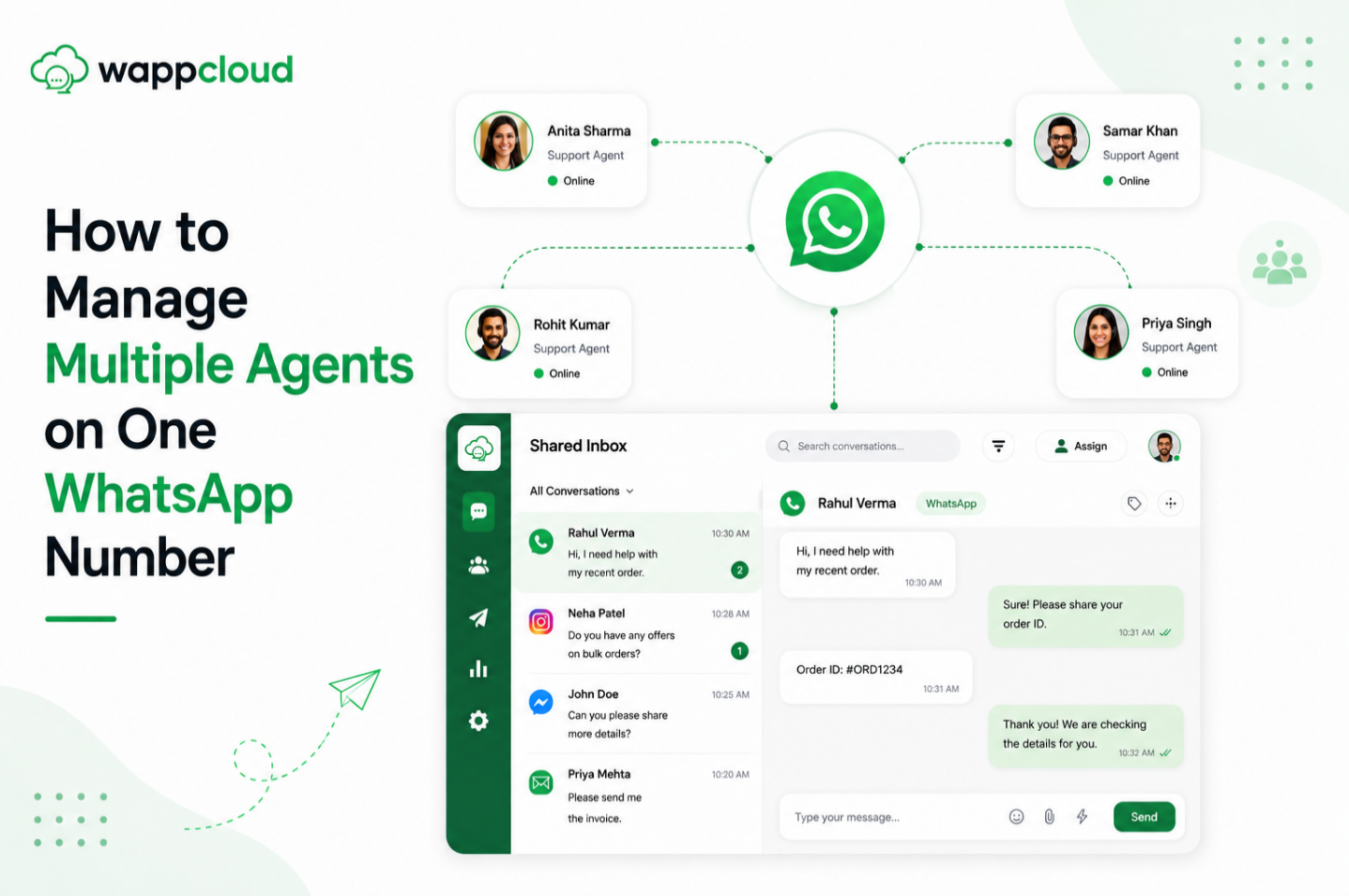
As your business grows, handling customer conversations from a single WhatsApp number becomes increasingly challenging. When multiple team members need access to the same account, businesses often face issues like missed messages, duplicate replies, and delayed responses.
A Shared Inbox solves this problem by allowing multiple agents to collaborate on a single WhatsApp Business number without sharing devices or login credentials. It helps teams manage conversations efficiently, improve response times, and deliver a consistent customer experience.
Whether you're running a sales team, customer support center, or marketing department, managing multiple agents on one WhatsApp number ensures smooth communication and better teamwork.
What Is Multi-Agent WhatsApp Management?
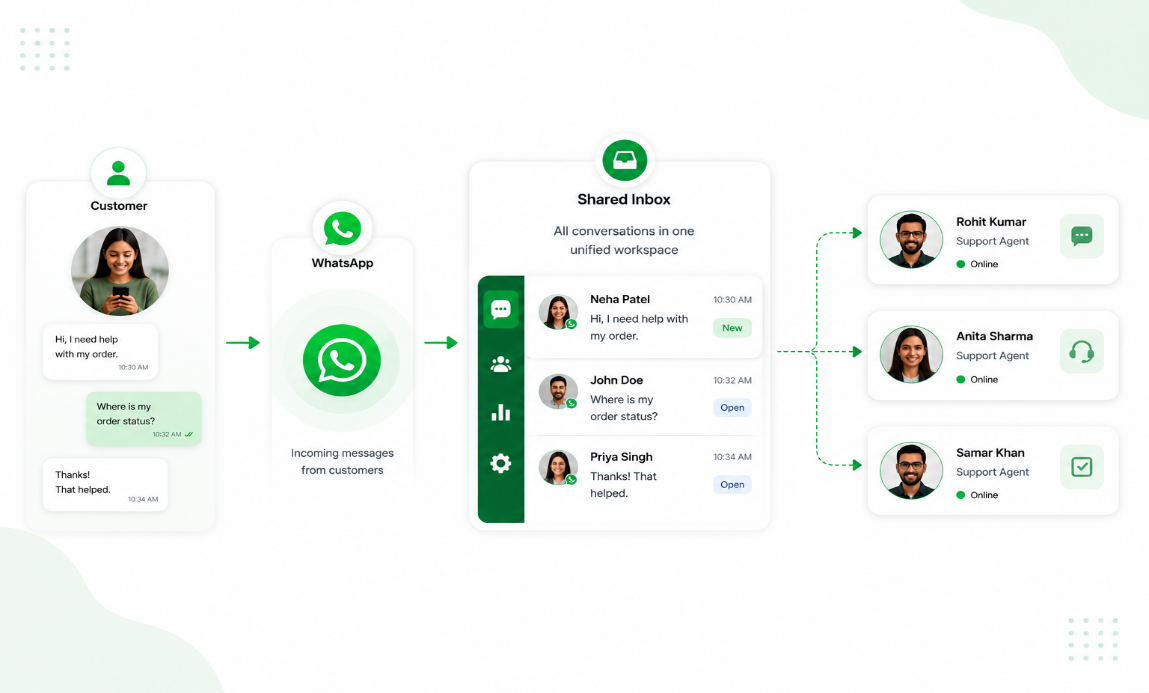
Multi-Agent WhatsApp Management allows several team members to access and manage customer conversations using the same WhatsApp Business number through a centralized platform.
Instead of relying on one phone or manually forwarding messages, every agent works from a shared dashboard where conversations can be viewed, assigned, and tracked in real time. This improves collaboration while ensuring every customer receives timely responses.
Why Businesses Need It
As customer inquiries increase, a single person cannot manage every conversation efficiently. A multi-agent system distributes conversations among team members, reducing response times, preventing missed messages, and helping businesses provide faster and more organized customer support.
1. Multiple Agents, One WhatsApp Number
Allow your entire team to manage customer conversations from one WhatsApp Business number. Each agent can respond independently without needing access to the same mobile device.
2. Assign Conversations to the Right Agent
Incoming chats can be assigned to specific departments or agents based on expertise or workload. This ensures customers receive accurate responses from the right person.
3. Avoid Duplicate Replies
When multiple people manage the same inbox manually, duplicate responses often occur. A shared inbox shows who is handling each conversation, preventing confusion and improving customer experience.
4. Improve Team Collaboration
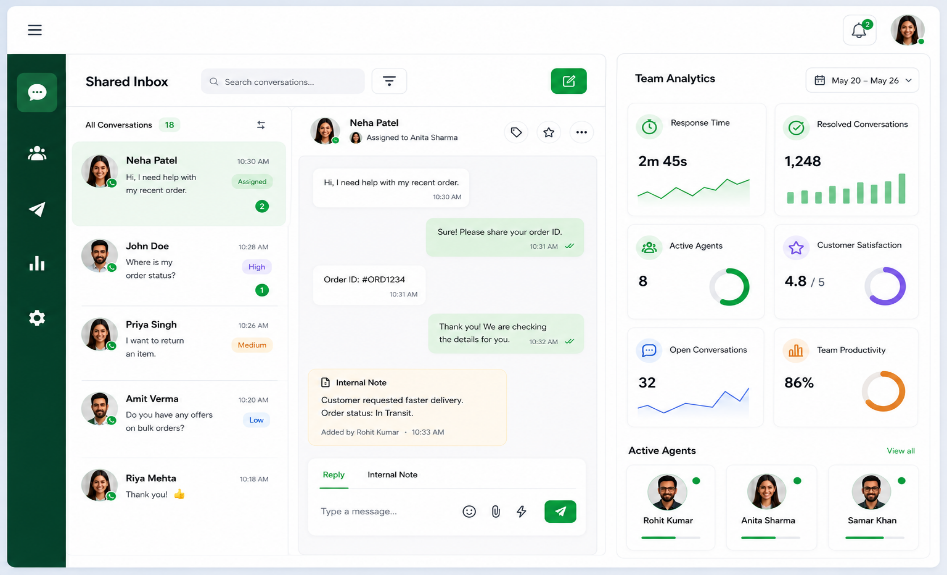
Agents can leave internal notes, transfer chats, and collaborate without customers seeing internal discussions. This helps teams resolve issues more efficiently.
5. Track Agent Performance
Managers can monitor:
- Assigned conversations
- Response time
- Resolution time
- Agent workload
- Closed conversations
These insights help improve team productivity and customer service.
6. Deliver Faster Customer Support
Customers receive quicker responses because conversations are automatically routed to available agents. Faster support improves satisfaction and builds stronger customer relationships.
What Are the Benefits of Multi-Agent WhatsApp Management?
As your business grows, handling customer conversations from a single WhatsApp Business app becomes increasingly difficult. A Multi-Agent WhatsApp Management system allows multiple team members to manage customer chats from one official WhatsApp number, making communication faster, more organized, and more efficient.
1. Centralized Customer Conversations
With a shared inbox, every customer conversation is stored in one central location. Your sales, support, and customer service teams can access the same chat history without relying on a single device. This ensures that no messages are missed and every interaction is easy to track.
2. Better Team Collaboration
Multiple agents can work together seamlessly from the same WhatsApp number. Conversations can be assigned to specific team members, transferred between departments, or reassigned whenever needed. This improves coordination and prevents duplicate or conflicting responses.
3. Faster Response Times
Customer satisfaction often depends on how quickly you respond. Since several agents can reply simultaneously, incoming messages are handled much faster. If one agent is unavailable, another team member can immediately continue the conversation without any delay.
4. Increased Productivity
Agents no longer need to share phones, switch between devices, or wait for access to WhatsApp. Each team member can manage assigned conversations from their own dashboard, allowing them to focus on resolving customer queries efficiently. This leads to higher productivity and better use of your team's time.
5. Better Customer Experience
Customers expect quick, consistent, and personalized support. With access to complete conversation history, agents can understand previous interactions and continue conversations smoothly. This creates a professional experience and helps build stronger customer relationships.
6. Real-Time Team Monitoring
Managers gain complete visibility into team performance through real-time analytics and reporting. They can monitor response times, agent workloads, chat volumes, pending conversations, and resolution rates. These insights help identify bottlenecks, improve team performance, and maintain high service standards.
Ready to empower your team with Multi-Agent WhatsApp? With WappCloud Shared Inbox, multiple agents can securely manage customer conversations from a single WhatsApp Business number. Assign chats, collaborate in real time, monitor team performance, and deliver faster customer support — all from one centralized dashboard.
Give your team the tools they need to work smarter, respond faster, and provide exceptional customer experiences.
Start managing multiple agents on one WhatsApp number with WappCloud today!